
Updated
Start your first replay
Pick a ticker, a date and a start time, then press Start Replay.
Every replay is one historical trading day for one name. You choose the day, where in it you start, and how much capital you bring.
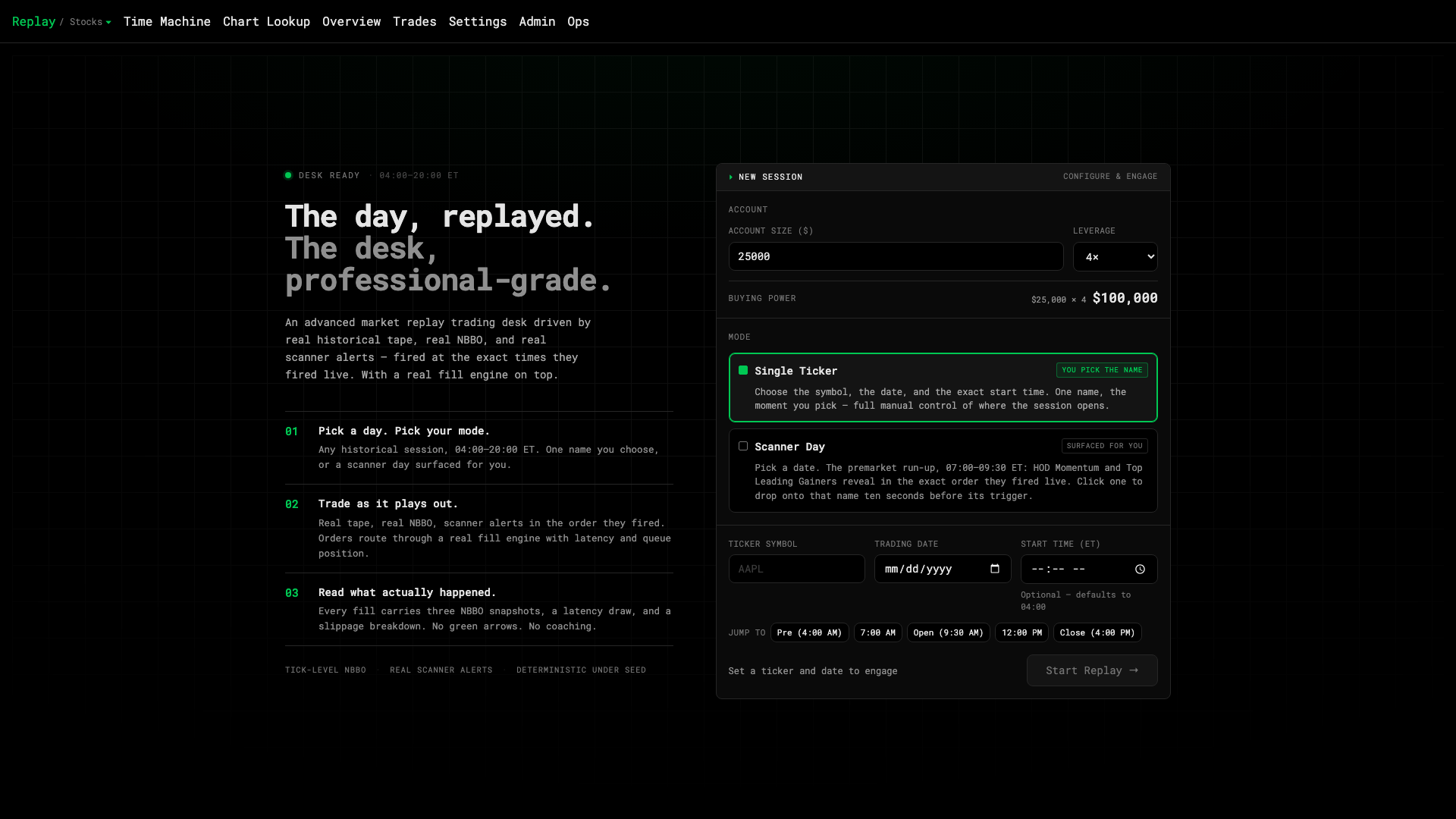
1 · Account size2 · Mode3 · Ticker4 · Date5 · Start
Set up the session
- Account size and leverage. Type your starting cash and pick 1×, 2× or 4×. Buying power is shown underneath — it’s simply cash × leverage.
- Mode. Single Ticker means you pick the name. Scanner Day surfaces the premarket movers for you (see Scanner Day).
- Ticker symbol and trading date. Any US equity, any day the desk has tape for. If the date isn’t available you’ll be told before you start.
- Start time (ET). Optional. Leave it blank to begin at 04:00 premarket, or use the Jump to chips.
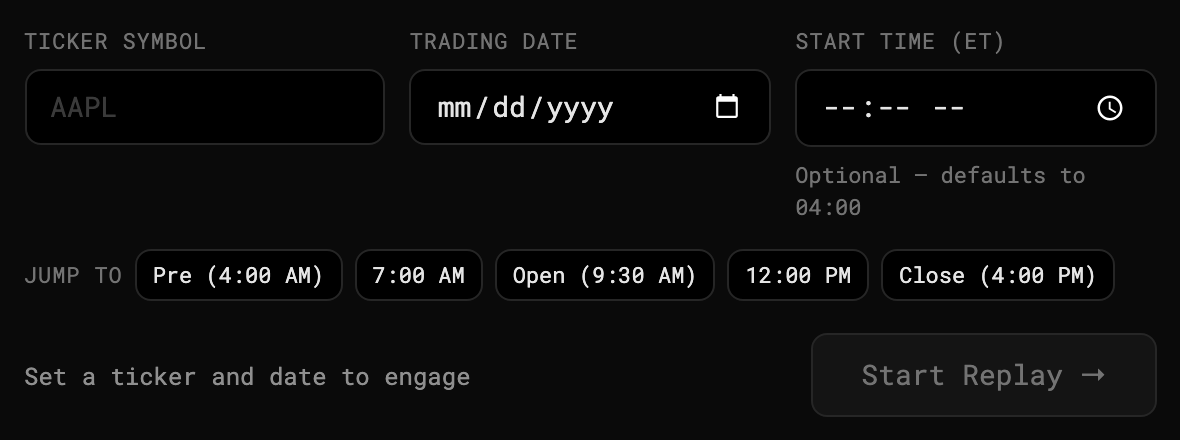
1 · Exact start time2 · Jump to
- Press Start Replay →. The desk loads the tape and opens paused at your start time.
What you’ll see
The default layout, small cap single, gives you Stock Quote, Orders, Positions and Order Entry on the left and four synced charts (5m, 10s, 1m and daily) on the right, with the replay transport along the bottom. Press Space or ▶ Play to let the day run.
Next
- Transport controls — speed, rewind, fast-forward.
- Place your first order.
Was this article helpful?
Related articles
- Transport controls — play, speed, rewindDrive the tape: play and pause, change speed, skip or scrub through the day.
- Place your first orderThe Order Entry ticket — size, price, type, and the four buttons.
- What's real and what's simulatedEvery price is real history. Only your orders — and how they fill — are simulated.